Saturday, May 14, 2011

How I Created and Uploaded a Favicon for Blogger

A favicon, first created by Microsoft for the Internet Explorer Favorites menu and is short for favorites icon, is the icon you see to the left of the URL on the Internet address bar. You may also see it when you add a website as a bookmark. 


Monday, May 2, 2011

Configure Password and Lockout Policies

Windows Server 2008 has a new security feature to allow configuration of fine-grained password policies to assign different password and account lockout policies to users and groups within a domain. The security options are designed for both user and computer configuration.

Thursday, April 28, 2011

Connection Problems with Mail on the Mac

Are you having problems with your Mac sending or receiving Mail?

Tuesday, April 19, 2011

How to Check the Hard Drive on a Mac

Computer hard drives don't normally fail without warning, unless you do something really dumb like I did one day. My daughter and I were on the LIRR going to NYC. She was eight years old at the time. Audra handed me her Macbook to carry....., as usual. As we arrived at Penn Station, I got up, my hands overflowing with everything else I was carrying, and I

Sunday, April 10, 2011

Duplicate Contacts Calendars with MobileMe iPhone


I signed up for Mac MobileMe after it was first released and I am hooked. I love being able to sync  photos, contacts, and calendars in the cloud. Everything is automatically 'pushed' to your devices to keep your constantly changing information in sync. Add a new contact and there it is, already in sync on all of your Mac devices and in Outlook on your PC. I love not

Sunday, April 3, 2011

Application Freeze on a Mac

You are pushed for time and are trying to get some work done, when your cursor turns into the spinning beach ball that you despise! You sit and wait precious seconds for the beach ball to go away. You move your cursor away from the application. The beach ball disappears, only to reappear when you move it back. Your computer is frozen. How can you

Sunday, March 27, 2011

ZoomIT - SysInternals Zoom and Annotations Utility

Here I am again talking up the SysInternals utilities. ZoomIt is my newest obsession and I am on a roll. ZoomIt was written by Mark Russinovich, author of the SysInternals tools. Mark is now with Microsoft as a Technical Fellow. And, among his many accomplishments, he has just written a book called Zero Day, which I just finished reading and thoroughly enjoyed.

Monday, March 21, 2011

The Case of the Unexplained 2010 SysInternals Review

Mark RussinovichImage by rwoan via Flickr

The Case of the Unexplained is an ongoing series of webcasts, by Mark Russinovich, based on real troubleshooting scenarios in Windows. Mark Russinovich is a Technical Fellow at Microsoft, which is the highest technical position at Microsoft. A Senior Architect in the Windows division, Mark was the co-founder and chief software architect of Winternals Software, co-author of Windows Internals 4th and 5th edition and Inside Windows 2000 3rd edition with

Friday, March 11, 2011

Sysinternals Advanced Malware Cleaning Review

_MG_0853Image by rwoan via Flickr

Trying to cleanup malware from your computer? Advanced Malware Cleaning, located on the Windows Sysinternals website, is a must watch video from Windows expert Mark Russinovich. Mark was the co-founder of Sysinternals before it was acquired by Microsoft in 2006.

Mark gives an overview of how SysInternals tools work, such as Process Explorer, along with using the AutoRuns utility,  SigCheck, and TCPView Utility to discover where malware is hiding on your computer and how to clean it. Mark talks about Rootkits and his own RootkitRevealer tool, an advanced rootkit detection utility.

Mark discusses the future of malware and how malware is becoming harder and harder to detect.

Thursday, March 3, 2011

Iphone4 Crash


Did you open an app on your iphone4 and the iphone suddenly crash or shut down? 

When you open an app on the iphone, it leaves the application open so you don't have to reopen it the next time you want to use it. This is a benefit of multitasking, one of the features of iOS4

If too many apps are open, your iphone could suddenly shut down. You might also notice your battery draining faster than it used to. The more apps open on your iphone, the faster the battery drains.

Sunday, February 27, 2011

Windows Hang and Crash Dump Analysis Webcast Review

Recently, I spent an exciting Saturday watching and documenting a Sysinternal's webcast by Windows expert, Mark Russinovich, entitled, Windows Hang and Crash Dump Analysis. Mark takes you step by step into the internals of Windows to help you better understand how system crashes happen, what caused the crash, and how to fix it.


These are my notes I took during the Webcast. On a separate afternoon, while writing this blog, I tested WinDbg. Included in this documentation, are additional notes about what I did to create a crash dump, using the program Mark wrote called NotMyFault, and how I tested WinDbg. I am hoping the hours I spent watching and documenting the webcast will be useful one day to me and to my blog readers. The entire process has been a learning experience and very gratifying. 

And now, the Webcast....


Wednesday, February 23, 2011

How to run Windows Memory Diagnostics Tool

The 536,870,912 byte (512×2 20 ) capacity of t...Image via Wikipedia


You are having various application problems on your computer. You think the computer's RAM might be failing and you want to check it using the Windows Vista Memory Diagnostics tools. 


How do you run the Windows Vista Memory Diagnostics tools?


Monday, February 21, 2011

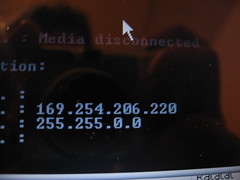
Computer Lost Internet Connection

my ip address

Most home computers connect to the Internet through a Dynamic Host Configuration Protocol (DHCP) server. This means the IP address is automatically assigned by the server (most likely your router).  IP addresses are automatically assigned (leased) for a time determined by your ISP.  The time varies, depending on the ISP.  When your lease expires you lose your internet connection.


Sunday, February 20, 2011

Network Problems because your Wireless Switch is turned off

Benq laptopImage via Wikipedia

Many mobile laptops have a wireless switch on the front or side of the computer to enable or disable the wireless radio.  This functionality is usually added to allow laptop usage on an airplane or in other areas with radio sensitive environments.  You can switch off the wireless radio to enable usage of the laptop.  It could be an actual hardware switch or a led light by the keyboard triggered by a combination of keystrokes such as Fn, Ctrl, Alt in combination with function keys ranging from F1 to F12.  If you have a switch, make sure it is turned on in order to receive a wireless connection.

If you don't know how to turn on or off your laptop's wireless radio, consult the laptop manufacturer, or check the link below for a list of various laptop models and their corresponding wireless radio switches.

How to turn on/off Wireless in various Laptop Models
Enhanced by Zemanta