Thursday, March 3, 2011

Iphone4 Crash


Did you open an app on your iphone4 and the iphone suddenly crash or shut down? 

When you open an app on the iphone, it leaves the application open so you don't have to reopen it the next time you want to use it. This is a benefit of multitasking, one of the features of iOS4. 

If too many apps are open, your iphone could suddenly shut down. You might also notice your battery draining faster than it used to. The more apps open on your iphone, the faster the battery drains.

Sunday, February 27, 2011

Windows Hang and Crash Dump Analysis Webcast Review

Recently, I spent an exciting Saturday watching and documenting a Sysinternal's webcast by Windows expert, Mark Russinovich, entitled, Windows Hang and Crash Dump Analysis. Mark takes you step by step into the internals of Windows to help you better understand how system crashes happen, what caused the crash, and how to fix it.


These are my notes I took during the Webcast. On a separate afternoon, while writing this blog, I tested WinDbg. Included in this documentation, are additional notes about what I did to create a crash dump, using the program Mark wrote called NotMyFault, and how I tested WinDbg. I am hoping the hours I spent watching and documenting the webcast will be useful one day to me and to my blog readers. The entire process has been a learning experience and very gratifying. 

And now, the Webcast....


Wednesday, February 23, 2011

How to run Windows Memory Diagnostics Tool

The 536,870,912 byte (512×2 20 ) capacity of t...Image via Wikipedia


You are having various application problems on your computer. You think the computer's RAM might be failing and you want to check it using the Windows Vista Memory Diagnostics tools. 


How do you run the Windows Vista Memory Diagnostics tools?


Monday, February 21, 2011

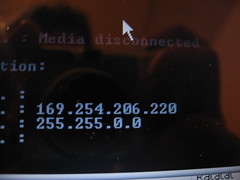
Computer Lost Internet Connection

my ip address

Most home computers connect to the Internet through a Dynamic Host Configuration Protocol (DHCP) server. This means the IP address is automatically assigned by the server (most likely your router).  IP addresses are automatically assigned (leased) for a time determined by your ISP.  The time varies, depending on the ISP.  When your lease expires you lose your internet connection.


Sunday, February 20, 2011

Network Problems because your Wireless Switch is turned off

Benq laptopImage via Wikipedia

Many mobile laptops have a wireless switch on the front or side of the computer to enable or disable the wireless radio.  This functionality is usually added to allow laptop usage on an airplane or in other areas with radio sensitive environments.  You can switch off the wireless radio to enable usage of the laptop.  It could be an actual hardware switch or a led light by the keyboard triggered by a combination of keystrokes such as Fn, Ctrl, Alt in combination with function keys ranging from F1 to F12.  If you have a switch, make sure it is turned on in order to receive a wireless connection.

If you don't know how to turn on or off your laptop's wireless radio, consult the laptop manufacturer, or check the link below for a list of various laptop models and their corresponding wireless radio switches.

How to turn on/off Wireless in various Laptop Models
Enhanced by Zemanta

Friday, February 18, 2011

Problems with your DVD-ROM CD-ROM drives

You are having problems accessing your DVD-ROM and CD-ROM drives. The problem happened after you opened an email attachment. You need to make sure your drivers are the correct versions. However, you do not know how to do that. What should you do that will allow you to determine whether correct versions of the drivers are installed?

Run the DRIVERQUERY command-line tool.

  • Open a command prompt window.
  • Type driverquery /? (to get a list of the driverquery options)
  • Type driverquery | more (to see a pageview display of drivers). note: the | sign on the keyboard is the broken line above the \
Driverquery is a quick way to generate a of list of installed drivers on your system.  However, in my opinion, a better way is to use DriverView, a free utility from NirSoft. DriverView works under all versions of Windows except for 98 and ME.


    Enhanced by Zemanta

    Wireless enabled and no internet connection

    The following is a repost of an unusual problem encountered a few years ago while troubleshooting a friend's Windows Vista laptop:

    I installed a free anti-virus software.  After the installation, I encountered one problem after another.  Windows Firewall connection turned off and became disabled.  I was unable to connect to the Internet even though my wireless connection was showing as enabled.  Internet Explorer was showing a "Page cannot be displayed" error.

    I googled "wireless connection showing enabled and no Internet", as I had never before encountered that problem. A blog entitled, Repair and reset Windows Vista TCPIP Winsock Catalog Corruption popped up and described the situation. It was easy and solved the problem in five short steps.  Be sure to click on the link for an explanation as to what caused the Winsock corruption.  This fix could save you a lot of potential headache. Here is the Microsoft Knowledge Base article for  How to determine and to recover from Winsock2 corruption in Windows Server 2003, in Windows XP, and in Windows Vista.


    Tuesday, February 15, 2011

    Find IP address of Network Printer

    computer network IP addressImage via Wikipedia
    If the printer has an Ethernet port, then it probably has a menu button to configure settings and you will have an option to display the IP address of the printer.

    If there is a computer set up to use the printer:

    1. Go to Start
    2. Go to Control Panel (In Vista, type Printer in the search box on the Start menu)
    3. Go to Printers and Faxes
    4. Right click the printer
    5. Click Properties
    6. Click the Ports tab to display the IP address
    You can ping your network from a computer connected to the network and look up an arp table:
    1. Click Start
    2. Click cmd
    3. Type ipconfig to find your network address.  Most of the time it will be 192.168.1.1 (the default gateway) on a home network.
    4. Ping your network using the broadcast address.  If your network address is 192.168.1.1, the broadcast address is 192.168.1.255 and you would ping 192.168.1.255.  If your network address is 192.168.2.1, the broadcast address is 192.168.2.255 and you would ping 192.168.2.255.
    5. Then type arp -a to see the devices connected to the network.  One of the listed devices is the printer.
    Enhanced by Zemanta

    Sunday, February 13, 2011

    Troubleshooting Workgroup Connections

    A common network configuration is a workgroup consisting of a few computers.  Each computer is connected to a router or hub, through an Ethernet cable or wirelessly, in order to share files or printers in a small office or home.  Problems connecting in this type of network can occur for many reasons.

    Part of the troubleshooting process is to verify the computer name and the workgroup name.  The user could have changed the name of the workgroup or name of the computer in the Systems Properties dialog box, ran Network Connections Wizard, or Network Setup Wizard.

    One way of checking the computer name, user name, workstation domain, and other info is by using the command-line utility net config workstation.

    Go to Start
    Click Run
    Type cmd to access the DOS command prompt
    Type net config workstation
    Press Enter

    Enhanced by Zemanta

    Thursday, February 10, 2011

    How I solved code 32 for Optiarc DVD RW AD-7580S

    Crystal Clear device dvd unmountImage via Wikipedia

    Yesterday morning my Lenovo laptop was unable to recognize a DVD in my Optiarc DVD RW AD7580S.  I hadn't used the DVD player for quite awhile and wondered when the problem actually began.

    I proceeded to go into Device Manager to check the DVD/CD-ROM drives.  There was a yellow exclamation point over the DVD icon for the Optiarc DVD RW AD7580S ATA Device.  Since an exclamation point means there is some type of problem, I checked the Properties for the DVD player. An error code of 32 was generated in the Status text box on the General tab in the Device Manager Properties dialog box.

    I linked to technet.microsoft.com to find out what Code 32 means.  Code 32: A driver (service) for this device has been disabled. An alternate driver may be providing this functionality.


    Tuesday, February 8, 2011

    Need an IP Address

    You are having network connectivity issues.
    1. You have ruled out problems with physical connections such as your cables and network adapters.
    2. Your Windows Troubleshooter in the Windows Help and Support Center pointed to a TCP/IP address problem.  
    Use the Ping command. TCP/IP  is a network protocol used in the Windows environment. TCP/IP automatically installs itself when it detects a network adapter. The Ping command allows you to check for connectivity between devices on your network.

    You should Ping the loopback address first. The loopback address is 127.0.0.1. IP addresses that have 127 in the first octet are called loopback addresses. If this check fails, the TCP/IP configuration for your computer is incorrect. To ping the loopback address:


    Monday, February 7, 2011

    Losing your internet connection?

    You are in the middle of something and you lose your internet connection. What a pain! 

    You don't feel like calling the ISP and getting up to check your cable connections or resetting your cable modem. If your computer connects through a DHCP server, which chances are it does if you have a router, it means your IP address is automatically assigned by the server and can sometimes need to be renewed. 

    You can do this by restarting your computer or if you want to save time there is an easier method. Try this: 
    Go to START/RUN. Type CMD. 
    Type ipconfig /release 
    Press enter 
    Type ipconfig /renew 
     Press enter.

    Voila! Your internet connection is renewed.


    Enhanced by Zemanta

    Thursday, February 3, 2011

    Migrating to a new computer using Windows Easy Transfer

    Windows Vista is one of Microsoft's latest cli...Image via Wikipedia

    You have just purchased a new computer because your old computer has a version of Windows that is no longer supported and you want a faster computer. You have files and settings on your old computer that you desperately want to retain. How can you get the files and settings from your old computer over to your new computer without having to do it manually?

    Wednesday, February 2, 2011

    Windows Vista Startup Repair Tool

    System Restore // 18-8-2008
    Image by twinkleboi via Flickr

    Use the Startup Repair tool if your computer won't start up. Windows Vista has a Startup Repair tool that automatically fixes common problems. The Startup Repair tool scans your computer and attempts to fix it so your computer can start correctly. 

    When your system detects a startup failure, it automatically fails over to the Startup Repair tool. The Startup Repair tool performs diagnostics to determine the cause of the failure, and then attempts to recover.

    The Startup Repair tool can automatically repair incompatible drivers, missing and corrupted startup configuration settings, and corrupted metadata.  Afterwards, a log is provided to you about the steps that were taken in the repair, and diagnostic information to make further troubleshooting easier.

    If the Startup Repair is unable to repair the startup errors, the system is rolled back to the last known working state.

    If you want to start the Startup Repair manually, make sure the disc is enabled as a boot device in the BIOS with a higher priority than the other drives.  Insert the Windows Vista installation disc. Restart and follow these steps:


    Tuesday, February 1, 2011

    Hibernation power option

    You need to configure your desktop computer to maximize the time between recharging your computer that is used infrequently during the day. What mode should you use?


    Hibernation is a feature of laptops that allow them to enter into a low power state. This low power state will ensure that the laptop battery is not consumed when it is sitting idle. Hibernation can be configured through the Power Options applet in the Control Panel.


    Do you want some pointers on how to save energy and be green doing it?  Get your daily green tips from Our Daily Green Life and Life the Green Way

      Enhanced by Zemanta