Image via Wikipedia
How would you list a shared network folder location in My computer for quick access?
Map a network drive to the shared folder.
Map a Network Drive in Windows Vista and Windows Server 2008
 Image via Wikipedia

 Related Posts:
Network
 Image via Wikipedia
 Related Posts:
File and Folder Issues
 Related Posts:
Printer
 Related Posts:
USB
 Image via Wikipedia
 Related Posts:
power options
 Image via Wikipedia
Related Posts:
Address Labels
 Related Posts:
Windows Sidebar
 Image via Wikipedia

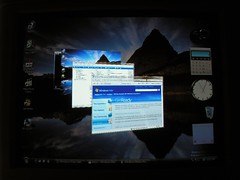 Image by David Reeves via Flickr
 Related Posts:
Windows Aero

 Related Posts:
Elevation prompt,
Security,
Vista
 Image via Wikipedia

 Related Posts:
Internet Explorer,
Internet Options


 Related Posts:
Internet Explorer,
Internet Options


 Image via Wikipedia
 Image via Wikipedia
 Related Posts:
File and Folder Issues,
Permissions,
Printer,
Vista