Monday, November 15, 2010
Remove Internet Explorer ActiveX Controls or Add-ons
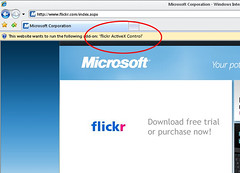
You only want ActiveX Controls or Add-ons that are approved by Microsoft or your computer manufacturer. How do you do manage this?
Open Internet Explorer.
Go to Tools.
Select Manage Add-ons.
In the Show list, Click Add-ons that run without permission.
Internet Explorer add-ons: frequently asked questions
Friday, November 12, 2010
Free MAC Antivirus
Sophos Anti-Virus for Mac Home Edition
If you want to scan your other Mac devices like the ipad, iphone, or ipad touch, download the Panda software from CNET.COM and connect the device to your Mac...
Panda-Antivirus
Related articles
- Unix's Revenge (voices.allthingsd.com)
- Unix's Revenge (asymco.com)
- The Top 3 Security Apps To Protect Your Mac (makeuseof.com)
- Sophos Anti-Virus For Mac [Review] (cultofmac.com)
- Sophos rolls out completely free anti-Virus protection for Mac systems (thetechherald.com)
- Quest Software Launches Freeware to Centrally Manage Unix/Linux/Mac Users and Groups (eon.businesswire.com)
- Sophos Launches Free Anti-Virus For Mac (informationweek.com)
- Sophos unveils free antivirus software for the Mac (news.cnet.com)
Wednesday, November 10, 2010
Free Microsoft Office Web Apps
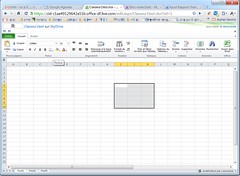
Image by louisvolant via FlickrMicrosoft Office Web Apps is a free version of Microsoft's Productivity Suite. Click on the link below to learn more:
Microsoft Office Web Apps
Related articles
- Creating a Spreadsheet in MS Office Web Apps (devicemag.com)
- Create and Edit Documents with Office Web Apps (devicemag.com)
- Microsoft injects more juice into Office Web Apps (go.theregister.com)
- Microsoft Takes Aim at Google Apps With Office 365 (pcworld.com)
- Silicon Alley Insider: Will Microsoft Take Another Shot at Google Docs Tomorrow? (businessinsider.com)
- Microsoft Office 365: One-Stop Shopping for Desktop and Web Productivity (technologizer.com)
- Microsoft: Office Web Apps Coming to BPOS (pcworld.com)
- Microsoft launches Office for Mac 2011 (newsinfo.inquirer.net)
- Microsoft Launches Office 365, Makes Cloud Move (nytimes.com)
- Office 365: Microsoft Is Serious About the Cloud (fool.com)
Tuesday, November 9, 2010
Malicious Software Removal Tool
You can get this tool through Microsoft Update, Windows Update, and the Microsoft Download Center.
Malicious Software Removal Tool
Related articles
- Is Spyware infected Your Computer? ? Remove Malicious Software ... (yoobz.com)
- Spyware Blockers - How to Recognize Spyware | antivirus-2010 (wp.evaporshop.com)
- Updated Malicious Software Removal tool lays the smackdown on Zeus botnet (downloadsquad.com)
- Best Spyware Removal On The Web | myGMC blog (mygmc.ro)
- What to Do If You Can't Download Windows Malicious Software Removal Tool (brighthub.com)
- Is Spyware infected Your Computer? ? Remove Malicious Software ... (sitessoftware.com)
- Best Free Spyware Remover Tool | antivirus-2010 (wp.evaporshop.com)
- How to prevent and remove Malicious Spyware effectively - Kevin ... (kpgolfpro1.typepad.com)
- Beware! Spyware Is Found! - Remove Get Rid of Security Tool As ... (techlifes.info)
- Spyware infection has been found! - Remove Anti Virus Software At ... (yoobz.com)
Monday, November 8, 2010
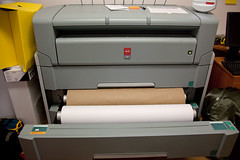
What is the difference between a printer and a print device?
Which would be the BEST way to explain to a user the difference between a printer and a print device?
A printer is software that converts documents from computers into instructions for a print device to print on paper.
Related articles
- Fixes for Windows 7: Printer Will not Work (brighthub.com)
- Review: Brother Printer Offers Wireless iDevice Printing Now, Connectivity Galore (wired.com)
- Google Cloud Print - where is Live Mesh for Devices? (liveside.net)
- The Best Office Printers for 2011 (prweb.com)
- Coming To Google Docs: Print To Anywhere In The World (businessinsider.com)
- Why Do Printers Still Suck? (blogs.forbes.com)
Retro Virus
What is a retrovirus?
A retrovirus attacks or is able to bypass anti-virus software.
Related articles
- Top Antivirus Software for Windows 7 (brighthub.com)
- Download Free eScan Anti Virus & Spyware Toolkit 2010 | Technorotic (technorotic.com)
- Webroot AntiVirus with AntiSpyware 6.1 Review (brighthub.com)
- Avast - Free Antivirus Software! (techblissonline.com)
- Sophos launch free-anti virus for Mac (en.onsoftware.com)
- Review of free Sophos Anti-Virus for Mac Home Edition (nakedsecurity.sophos.com)
- http://www.smartcomputing.com/editorial/dictionary/detail.asp?guid=&searchtype=&DicID=18782&RefType=Encyclopedia
Multipart virus
Image by m0n0lithic via FlickrWhat is a multipart virus?
A multipart virus can infect executable files and the boot sector of your hard disk drive. The virus resides in memory and infects boot sectors and executable files in your computer system.
Related articles
- How to save files before reformatting computer if you can't boot into your computer also? (ask.metafilter.com)
- Spyware Installation Error (antivirus.iyogi.net)
- Fixing CMOS Virus and Spyware (brighthub.com)
- Watch out for virus on a stick (bigsecure.wordpress.com)
- Spyware Internet Support (antivirus.iyogi.net)
- 5 Must have Data Recovery Tools (crazzycool.blogspot.com)
Sunday, November 7, 2010
How to tell if a computer has ACPI enabled
Jo just installed XP Home on his laptop computer. Jo is planning to travel frequently with his laptop in battery mode. When he is not using his laptop, he wants the laptop to go into standby mode. Jo cannot find the standby mode and does not think it is enabled. How do you determine if the laptop is ACPI (Advanced Configuration and Power Interface) enabled?
Go to My Computer. Right click My Computer. Click Manage. Click Device Manager/click Computer. If the device is ACPI compliant, the device contained in the computer node will likely say ACPI Uniprocessor PC. If the device is not ACPI compliant, it will say Standard PC.
Related articles
- Chip Giants Investigate More Power Efficient Chip Design (nytimes.com)
- Researchers claim hot laptops could affect men's sperm quality (zdnet.com)
- Chip Giants Investigate More Power Efficient Chip Design (pcworld.com)
- Chip giants investigate more power-efficient chip design (infoworld.com)
- The upgradable, recyclable Bloom laptop concept (gizmag.com)
Friday, November 5, 2010
Computer monitor print hard to read
Image via WikipediaCraig is currently testing a new game that supports only a screen resolution of 1024x760 with 16 million colors. Craig changed the screen resolution but complains it is hard for him to read the items on the screen. What should you tell Craig to resolve the problem?
Change fonts dots per inch (DPI) setting. DPI represents the number of dots used to represent the font. The larger the setting is, the easier it is to read the font.
Related articles
- Hard-to-read fonts are easier to retain (holykaw.alltop.com)
- Why Facebook isn't Making Your Eyeballs Bleed (cbsnews.com)
- Facebook users squint at font size change (macworld.com)
- Tips on Creating a Business Card (thinkup.waldenu.edu)
- Workarounds for Facebook's tiny new font (technolog.msnbc.msn.com)
- Canonical Design Team: Of hinting and tables (design.canonical.com)
- How to Adjust Windows 7 Screen Resolution (devicemag.com)
- Design Elements of a Blog (encourageblogging.com)
- http://www.antezeta.com/blog/web-text-images-font-face (antezeta.com)
Paper jams on a laser printer
Image by Digiart2001 | jason.kuffer via FlickrYou have been having frequent paper jam problems with your laser printer for the last year, even though the humidity in your office is never too high or too low.
What should you do?
Answer: Install a maintenance kit. Paper jams occur when a paper is stuck in the printer or due to malfunctioning pickup rollers and registration rollers. Installing a maintenance kit will replace paper pickup rollers. The maintenance kit includes a fuser, a transfer roller, a pickup roller, a registration roller, and six feed rollers. After installing the maintenance kit, print a test page and reset the page counter. If your printer has multiple paper trays, you will need to print a test page for each paper tray.
Related articles
- How Laser Printers Create Sharp Images Using Static Electricity (brighthub.com)
- Dell 3110cn Fuser needed (edugeek.net)
- Dell debuts new breakthrough LED printer tech (slashgear.com)
- The Best Office Printers for 2011 (prweb.com)
Friday, October 29, 2010
Internet Explorer problems
On the General tab of Internet Options, in the Temporary Files section, click on the Settings tab. Four options are available to set for Internet Explorer to check for new web pages: Every visit to the page, Everytime you start Internet Explorer, Automatically, Never. It is likely you had the selection set to Never.
Related articles
- Enabling JavaScript in Internet Explorer (brighthub.com)
- How to Repair Internet Explorer: What to Do When IE is Corrupt? (brighthub.com)
- Internet Explorer Not Printing? Find Fixes Here (brighthub.com)
- Move The Temporary Internet Files Folder In Internet Explorer 8 (lockergnome.com)
- Internet Explorer 9 Tabbed Browsing Settings (ghacks.net)
- How to Fix Internet Explorer Issues in Windows 7 (brighthub.com)
Wednesday, October 27, 2010
Local Users and Groups
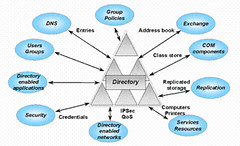
Image by arrayexception via FlickrYou hire temps to scan documents and print to a local printer in your office. The temps will be using one computer. Security settings do not permit the temps to access the local printer. The computer is a member of an Active Directory Domain and the all actions performed by the temps must be audited. What actions should be performed to allow the temps to print and to permit auditing of the temps activities?
Create five local user accounts. Because the temps will use only one computer, they will not have accounts in the domain.
Create a local group named Temps. You can then grant the Temps group access to the local printer.
Add each local account to the Temps local group.
Allow each Temp to log on using his or her local account. This allows audit settings to apply to the individual Temps.
Related articles
- Symplified Delivers Unified User Management That Synchronizes the Data Center with the Cloud (eon.businesswire.com)
- How Do I Find the Domain Controller Server in Windows? (brighthub.com)
- Centrify Offers Free Access to Active Directory Authentication for Macs (themactrack.com)
- How to Use Microsoft's RemoteApp: An Inexpensive Alternative to Managing Remote Desktop Applications (itexpertvoice.com)
- Group Policies in Windows 7 (itexpertvoice.com)
- Audit Options In Windows 7 (lockergnome.com)
Tuesday, October 26, 2010
Cookies
You are having problems using a bill payment Web application provided by your bank. Your computer runs MS Windows XP Pro with Internet Explorer. When you click on a link on the bank’s Web site, a message is presented indicating that cookies are not enabled. When you visit the link directly, this problem does not occur. What should you do?
Configure Internet Explorer to allow third party cookies.
Related articles
- The best Internet Explorer security add-ons (news.cnet.com)
- Internet Explorer Security Settings - ActiveX Controls (brighthub.com)
- THINK you-deleted-your-cookies-think-again (current.com)
- How to Enable Javascript in Internet Explorer (brighthub.com)
Monday, October 25, 2010
ActiveX Controls
Image by sebestyenistvan via FlickrThe claims representatives in your company access a corporate Web site and and update customer claims. The Web site uses several unsigned ActiveX controls to enhance user experience. The Web server is located behind a firewall. A claims representative cannot use the site because he is unable to download ActiveX controls. No other users are experiencing the problem.
The Local Intranet zone should be configured to allow unsigned ActiveX controls to be downloaded and run. By default, the Local Intranet zone in configured to disable the downloading and running of unsigned ActiveX controls.
Related articles
- Internet Explorer Security Settings - ActiveX Controls (brighthub.com)
- What are ActiveX Controls capable of doing? (ask.metafilter.com)
- Reset Web Browsers To Factory Default Settings (ghacks.net)
Inkjet Printer
Image by Chris Pirillo via Flickr What is the function of the nozzle gate in an inkjet printer?
Answer: Controls whether ink is flowing from the ink cartridge. When an inkjet printer starts printing, the nozzle gate opens and allows the nozzle to spray ink onto the paper. After printing is stopped, the nozzle gate shuts down to stop the flow of ink.
Related articles
Subscribe to:
Posts (Atom)