Thursday, May 6, 2010

Corrupt Registry Repair in Windows Vista

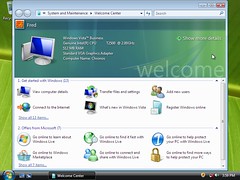
Internet Explorer 7 for Windows Vista tab viewImage by niallkennedy via Flickr
How to repair a corrupt registry in Windows Vista
Enhanced by Zemanta

Installing and Using the Recovery Console in Windows XP

How to install and use the Recovery Console in Windows XP

Mouse Frozen on Lenovo Laptop

Lenovo logoImage via Wikipedia
Is your mouse frozen on the Lenovo N500 laptop?

Try clicking on the LED light at the top right hand corner of the laptop.  This should fix your problem!

Enhanced by Zemanta

Troubleshoot and Repair Startup Issues

Graph of typical Operating System placement on...Image via Wikipedia
You have corrupted system files and your operating system will not load, try this:

How to fix a corrupt master boot record

How to use the Bootrec.exe tool

Scan a Windows Installation Offline using SFC

System File CheckerImage via Wikipedia

System File Checker (SFC) scans and checks all Windows Resource Protected (WRP) resources. Windows Vista added the following functionality to the SFC tool:
  • Ability to scan a single file
  • Ability to scan a Windows installation offline


Using System File Checker (SFC) to Fix Issues
Enhanced by Zemanta

How to Elevate to an Administrator Account

You are unable to log into your Administrator account.  Click here for tips on how to do this:

Elevate to an Administrator Account

What to do if Windows Vista not starting correctly

Windows Vista InstallationImage by Fred​ via Flickr
The following link contains the full instructions for a Windows Vista installation, rather it be a clean install or a reinstallation.  If you are doing a reinstallation, your files are automatically saved in a windows.old folder that you can migrate to your new os after the install.  Instructions are included in the link.


Windows Vista not starting correctly
Enhanced by Zemanta

How to use the Recovery Console in Windows XP

Recovery Console Instructions

Command Prompts for Windows

Tuesday, May 4, 2010

Which type of memory module has 144 pins?

Small Outline Dual Inline Memory Module (SODIM...Image via Wikipedia
A SODIMM is a 144-pin memory module designed for use in primarily laptops.  These transfer data in 64-bit chunks.  There is also a 72-pin SODIMM.  This module transfers data in 32-bit chunks.

A SIMM (Single-Inline-Memory-Module) is a 72-pin memory module designed for use in desktop computers.  These transfer data in 32-bit chunks.

A DIMM (Dual-Inline-Memory-Module) is a 168-pin memory module, also designed for use in desktop computers.  These transfer data in 64-bit chunks.

RIMM is a type of memory module that consists of Rambus Dynamic Random Access Memory chips, RDRAM chips, 184 pins. They transfer data in 16-bit chunks at a 1.6 GB bandwidth.

Computer Memory Types and Memory Technology
Enhanced by Zemanta

S-video connectors

Close-up of S-video female connectorImage via Wikipedia
How many pins can there be in a S-video connector?

Answer:  Four, seven, or nine pins in an S-video connector.  S-video connectors are analog video connectors that can transfer video signals to other devices.

Video Connectors

Wednesday, April 28, 2010

Which connectors are used with fiber-optic cabling?

ST optical fiber connector.Image via Wikipedia
The ST and SC connectors are the two most popular connectors available for fiber-optic cabling.  Other common fiber-optic connectors are FC, FDDI, LC, D4, MU, MT, AND MT-RJ.

The following is the ST (an AT&T trademark) connector.  The ST connector, also called the Straight Tip connector, uses a push-and-turn-to-lock system.   ST is probably the most popular connector for multimode networks, like most buildings and campuses.


The following is an SC connector, also called a Square Connector or Standard Connector, or Set and Click.  The SC connector has a molded plastic plug casing and a push/pull locking system.  At first, it was not widely used because it was much more expensive than the ST.  But, now it is only a little more expensive and very common.



Tuesday, April 27, 2010

Which network topology supports the longest maximum cable length?

10BASE-T Cable. Picture taken by Duncan Lock a...Image via Wikipedia
10BaseF networks, which operate at 10 megabits per second (Mbps), support the longest cable length with a maximum distance of 2,000 meters (m) or 2 kilometers (km).  10BaseF is also know as 10BaseFL.

Networks configured with a 10Base2 topology support a maximum cable length of 185 m.

Networks built on a 10Base5 topology support a maximum cable length of 500 m.

The 10BaseT and 100BaseT topologies support a maximum distance of 100 m between two devices.
Cable Considerations for Network Installations
Enhanced by Zemanta

Command line reference A-Z

Computer directory listingImage via Wikipedia
Enhanced by Zemanta

Sunday, April 25, 2010

Drivers

System File CheckerImage via Wikipedia
Windows File Protection, System File Checker, and File Signature Verification

Click on the links below to learn how these work:

Windows File Protection

System File Checker   

File Signature Verification
Enhanced by Zemanta