Sunday, September 26, 2010

NTFS Permissions when doing a file copy

Image via Wikipedia


  1. You work for a small company. Michael and Jill use the same computer which runs XP Pro. Michael wants to copy a file named ACCOUNTS.XLS from the documents folder on the C drive to the documents folder on the D drive. Both drives are formatted using NTFS. The documents folder on the C drive has the Modify permission and the documents folder on the D drive had the Read and Execute permission. Which permission will be granted to Jill on the copy?


The Read and Execute permission will be granted. When a file or folder is copied on a drive formatted with NTFS, it inherits permissions from the parent folder.

How to control NTFS Permission Inheritance in Windows

How IT works NTFS Permissions

NTFS Permissions Reporter Free Edition 1.0.0

Enhanced by Zemanta

How to determine what driver is preventing the operating system from starting

Graph of typical Operating System placement on...Image via Wikipedia
You have a computer repair shop. A customer brings his computer to your shop because he is unable to start his operating system. He tells you his problem started right after he installed a new CD-ROM and a multifunction device. You examine the boot.ini file. What entry should you add to the operating system section of the boot.ini file to determine what driver is preventing the operating system from starting?
multi(0)disk(0)rdisk0)partition(1)\Winnt="Diagnose"\sos. The sos parameter causes the driver names to be displayed as they are loaded during startup.

Enhanced by Zemanta

Trouble configuring auditing

You are on the phone with Arin who is having a problem configuring auditing on his computer. He wants to configure auditing because he believes someone has access to the secure files on his computer. He configured audit settings on his secure documents, but no audit log is generated. Arin is the administrator of his computer and no other users use his computer. What should you tell Arin?

The security policy applied to the computer does not allow auditing file access. It is likely the auditing of files is disabled. The security policy could be a local, site, domain, or OU policy. Arin should run the RSOP (Resultant Set of Policy) mode to determine the policy settings applied to the computer. The "Audit Object Access" should be enabled.
Enhanced by Zemanta

Display problems

Greg calls you because he is having problems with his display. Greg is running XP Home and says someone said to change his refresh rate for a better view. He changed the refresh rate from 60 mhz to 85 mhz. After restarting his computer, he could hardly view anything. He cannot remember anything else he did during the course of the day. How should you tell Greg to resolve his problem?

Restart the computer in VGA mode.
Change the screen resolution and refresh rate.


Enhanced by Zemanta

How to connect portable printer to your laptop

You use a Windows XP Professional laptop computer to complete tasks and maintain troubleshooting records. You need to create a paper version of troubleshooting records, so you carry a portable printer with you on the job. The printer is designed to connect to the USB port on your Windows XP Pro laptop. You have never connected the portable printer with your laptop. What steps should you take to enable you to use the portable printer?

Plug the printer into a USB port
Install a device driver the first time the device is connected

Enhanced by Zemanta

Trouble printing documents visible in print queue

A rep arrives in your office needing to print several documents created while on the road. She attaches her laptop to a printer using a USB cable. The four documents she created while out of the office are visible in the print queue, but are not printing. You need to ensure the printer is working properly and prints the four waiting print jobs. What should you do?

Click the Print Online option.


Enhanced by Zemanta

How to create and configure user accounts in Windows XP

  1. A user is running Windows XP (previously used by another someone in another department), wants to ensure that only he has access to those files. Company policy prohibits encrypting files. How might you make sure former users do not have access to John's files?

John needs to delete all former user accounts.
Enhanced by Zemanta

Problems installing a network printer

A user cannot install a network printer on her computer running Windows XP. She needs to print documents soon, and the only printer with sufficient capacity is this printer that will not install. How can you help the user install the network printer?

Disable the computer policy that prevents users from installing print drivers for local printers.


Enhanced by Zemanta

Internet Favorites not consistent from login to login

A help desk colleague of yours logs on from different machines during the day. He complains Internet favorites created on one computer do not follow him when he logs in from others. How can you configure Internet favorites to remain consistent from login to login for a particular user?

Copy the user's local profile to a network share and configure his account for roaming profiles.

Enhanced by Zemanta

Unable to edit TCP/IP configuration

TCP/IP stack operating on two hosts connected ...Image via Wikipedia
Users are allowed to edit their own TCP/IP settings, but one user complains she is unable to edit the settings in her TCP/IP configuration. What should you do?

Log on with administrative privileges; choose Control Panel, User Accounts; and discover whether the user is a member of the Users group or has Limited User account.

Enhanced by Zemanta

How to create shared network folders

  1. What methods enable you to create shared network folders?
Right-click a folder in My Computer or Windows Explorer, select Sharing and Security, click the option button Share This Folder, and click OK.

Open the Run dialog box, type fsmgmt.msc, press OK, right-click the Shares node, and click New File Share. Follow onscreen instructions for the Create Shared Folder Wizard. Note: Simple File Sharing must not be enabled to create a New File Share using this command.

Open the Computer Management console, expand Shared Folders, right click the Shares node, and click New File Share. Follow the on-screen instructions for the Create shared Folder Wizard. Note: Simple File Sharing must not be enabled to create a New File Share using this command.

Open a command prompt window. Type Net Share share_name=x:\folder_name, where share_name represents the name you want to assign to the shared folder, x: represents the drive letter where the folder resides, and folder_name represents the actual name of the folder.
Enhanced by Zemanta

The Welcome Logon screen does not appear


  1. Using group policies, you need to provide a way for the user to be able to reset the password and view the Welcome screen rather than be logged on automatically to her computer running Windows XP. The computer is part of a workgroup, not part of a domain. How do you accomplish this task?

In Group Policies, choose Always Use Classic Logon.
Enhanced by Zemanta

Windows XP licensing that require Windows Activation

Call us at (516) 313-1077


  1. Which types of Windows XP licensing and media require MPA (Windows Activation) after a successful installation?

OEM licensing and media

Unable to install software using removable media

group policyImage by Chris Trillana via Flickr


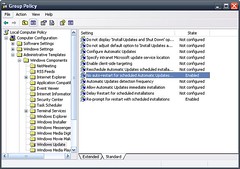
  1. A Senior VP complains he is unable to install software using removable media. What do you suspect?

Prevent removable media source for any install system policy is enabled.


Enhanced by Zemanta