Greg calls you because he is having problems with his display. Greg is running XP Home and says someone said to change his refresh rate for a better view. He changed the refresh rate from 60 mhz to 85 mhz. After restarting his computer, he could hardly view anything. He cannot remember anything else he did during the course of the day. How should you tell Greg to resolve his problem?
You use a Windows XP Professional laptop computer to complete tasks and maintain troubleshooting records. You need to create a paper version of troubleshooting records, so you carry a portable printer with you on the job. The printer is designed to connect to the USB port on your Windows XP Pro laptop. You have never connected the portable printer with your laptop. What steps should you take to enable you to use the portable printer?
Plug the printer into a USB port
Install a device driver the first time the device is connected
A rep arrives in your office needing to print several documents created while on the road. She attaches her laptop to a printer using a USB cable. The four documents she created while out of the office are visible in the print queue, but are not printing. You need to ensure the printer is working properly and prints the four waiting print jobs. What should you do?
A user is running Windows XP (previously used by another someone in another department), wants to ensure that only he has access to those files. Company policy prohibits encrypting files. How might you make sure former users do not have access to John's files?
A user cannot install a network printer on her computer running Windows XP. She needs to print documents soon, and the only printer with sufficient capacity is this printer that will not install. How can you help the user install the network printer?
Disable the computer policy that prevents users from installing print drivers for local printers.
A help desk colleague of yours logs on from different machines during the day. He complains Internet favorites created on one computer do not follow him when he logs in from others. How can you configure Internet favorites to remain consistent from login to login for a particular user?
Users are allowed to edit their own TCP/IP settings, but one user complains she is unable to edit the settings in her TCP/IP configuration. What should you do?
What methods enable you to create shared network folders?
Right-click a folder in My Computer or Windows Explorer, select Sharing and Security, click the option button Share This Folder, and click OK.
Open the Rundialog box, type fsmgmt.msc, press OK, right-click the Shares node, and click New File Share. Follow onscreen instructions for the Create Shared Folder Wizard. Note: Simple File Sharing must not be enabled to create a New File Share using this command.
Open the Computer Management console, expand Shared Folders, right click the Shares node, and click New File Share. Follow the on-screen instructions for the Create shared Folder Wizard. Note: Simple File Sharing must not be enabled to create a New File Share using this command.
Open a command promptwindow. Type Net Share share_name=x:\folder_name, where share_name represents the name you want to assign to the shared folder, x: represents the drive letter where the folder resides, and folder_name represents the actual name of the folder.
Using group policies, you need to provide a way for the user to be able to reset the password and view the Welcome screen rather than be logged on automatically to her computer running Windows XP. The computer is part of a workgroup, not part of a domain. How do you accomplish this task?
The Michael Meyers CompTIA Network+ All-in-One Exam Guide, featured on the left, is study guide I am using to prepare myself for the CompTIA Network+ Exam. It is an excellent study guide, and easy to understand.
I will attempt to summarize some points that may be helpful to you in understanding TCP/IP. And, more importantly, will be here as a reference guide.
In the beginning, there were several different networking protocols: Novell Netware IPX/SPX, Microsoft NetBIOS/NetBEUI, Apple's AppleTalk, and UNIX's TCP/IP. We all know now that UNIX's TCP/IP is the standard protocol that is predominately used in today's networks.
How does the computer know where to send its data? Data is contained in frames. In a small network, a computer sends a frame by broadcasting to MAC address FF-FF-FF-FF-FF-FF. This is the universal MAC address for broadcast. This broadcast goes out to all of the computers in the network. You can't do that on the Internet. It's too much. This is where IP addressing comes into play. Just as every computer has a unique MAC address, every computer has a unique IP address, and they are grouped together for each network logically, so you can distinguish individual networks.
IPV4 is a 32-bit value of ones and zeros. This is binary which is the base-2 number system.
An example is:
11000000101010000000010000000010
These ones and zeros are converted to decimal numbers to make it easier for us to remember. The computer and router have no problem reading this binary address, but, we humans do have a problem. So we need to convert it to decimal. To do this, first you break up the 32-bit value into 8 bits.
11000000 10101000 00000100 00000010
Each of the 8 bits are then converted into a decimal number separated by dots.
Binary is the base-2 number system, so an easy way to convert to decimal is to write out the decimal value for each bit:
128 64 32 16 8 4 2 1
Let's take the first set of eight binary bits, 11000000. For each bit that has a 1, write down the corresponding decimal value. In this case, it is 128. The next 1 that you see is in the 64 position. Add that to the 128, and you get 192.
Now let's take the next set of binary bits, 10101000. The first 1 is 128. The second 1 is 32. The third 1 is 8. Notice how I simply lined the binary digits up under the corresponding decimal, from left to right. Now add the 128+32+8. You get 168.
So far we have 192.168. Next take the next set of 8 bits, 00000100. The 1 is i the 4 position. So, we have 192.169.4. The next set of 8 bits is 00000010. That 1 is in the 2 position.
So the IP address is 192.168.4.2.
Every Operating System comes with a utility to determine both the MAC address and the IP address of your computer. In Windows, the command line utility is IPCONFIG /ALL. In the MAC/UNIX/LINUX world, the command line utility is IFCONFIG. You can also find out the IP address on the MAC by going to the Network utility, click on the Advanced tab, then the TCP/IP tab.
Each computer in a Local Area Network must have some way to indicate it is a member of that particular network. For instance, if you have a Class C network address and an IP address 192.168.4.2, 192.168.4 is the network id and 2 is the host id. The subnet mask is 255.255.255.0.
When a TCP/IP LAN needs to connect to another TCP/IP LAN, it has to have a router. The router has to have an IP address on the network. The router's IP address is known as the default gateway.
Most ISPs give the router the lowest host IP address for the network. In this example, that is 192.168.4.1. Each router has a routing table that tells it where to send incoming packets. The method a router uses to determine if the packet needs to go on the LAN, or, to a computer on the WAN, is the subnet mask.
If a computer needs to get a packet on the LAN, it simply sends out a broadcast address to get the other computer's MAC address. If the computer needs to get a packet on the WAN, in other words outside of your local area network, it sends the packet to the default gateway. How does the computer know whether the packet goes on the LAN or the WAN? The subnet mask tells the computer what portion of the of the IP address is the network id. 255 converts to 11111111 in binary. If the subnet mask is 255.255.255.0, then that tells you the first three nodes of the ip address is the network id. The computer compares the destination id to its own IP address using the subnet mask. If the network ids match, it knows the packet is local. If not, the packet is on the WAN.
If it is a local call, the computer (we will call it COMPA) sends out an ARP broadcast, to determine the MAC address of COMPB. COMPA sends out an ARP packet that contains its own IP address (in this case 192.168.4.2), the IP broadcast address (in this case 192.168.4.255), it's own MAC address, and the Ethernet broadcast address of FF:FF:FF:FF:FF:FF). COMPB's MAC address responds to the ARP by sending an ARP response containing COMPB's MAC address.
When COMPA has COMPB's MAC address, it starts sending packets. To show Windows's current ARP table, open a command line and type: arp -a
When a computer wants to send a packet to an IP address on an outside LAN, it sends the packet to the default gateway, in this case 192.168.4.1. It still sends out an ARP, but to the default gateway. Once the computer gets the default gateway's MAC address, it starts to send out the packets.
Usually subnet masks are represented by using a / character followed by the number of ones in the subnet mask. An example is 192.168.4.2/24.
An organization called the Internet Assigned Numbers Authority (IANA) assigns IP addresses in contiguous chunks called class licenses. The IANA presides over a number of Regional Internet Registries (RIRs) and the RIRs distribute IP addresses to large ISPs. Most end users get IP addresses from their ISP.
A Class A license has a subnet mask of 255.0.0.0 and the first octet that defines the network id starts between 1-126. The first binary octet of a Class A license always begins with 0 (0xxxxxxx). Potential number of hosts 16,277,214.
A Class B license has a subnet mask of 255.255.0.0 and the first and second id define the network id. The first octet decimal value is 128-191. The first binary octet of a Class B license always begins with 10 (10xxxxxx). Potential number of hosts 65,534.
A Class C license has a subnet mask of 255.255.255.0 and the first three octets define the network id.
The first octet decimal value is from 192-223. The first binary octet of a Class C license is always 110 (110xxxxx). Potential number of hosts 254.
Class D is reserved for Multicast. The first octet decimal values are from 224-239. The first binary octet of a Class D license is always 1110 (1110xxxx).
Class E is a Reserved license. The first octet decimal values are from 240-255. The first binary octet for a Class E license is always 1111 (11110000).
IP Class licenses eventually ran out and didn't work well for most organizations because the number of hosts needed varies for each organization. A new method was developed called Classless Inter-Domain Routing (CIDR). This is where subnetting comes into play. CIDR is done by the ISP. IANA assigns a block of addresses to the ISP, and the ISP subnets the block into multiple subnets, and then passes out the smaller subnets to customers.
To subnet, you take the existing /8, /16/, and /24 subnet mask and extend it one bit at a time until you have the number of subnets you need. First, convert the subnet mask to binary and remove the dots. For example, say you have a subnet mask of 255.255.255.0. Convert it to binary.
11111111111111111111111100000000
Change a 0 to a 1 so that you have 25 ones instead of 24.
11111111111111111111111110000000
The subnet mask becomes /25
The videos below do a great job of explaining subnetting based on the Magic Number Theory and how to determine the number of subnets needed, hosts, broadcast ids. They are the best I've seen!
The Windows Sysinternals website is part of Microsoft Technet and contains freeware for managing and troubleshooting Windows operating systems. Sysinternals was started by Microsoft developers Mark Russinovich and Bryce Cogswell. Sysinternals became part of Microsoft in 1996.
The Mike Meyers CompTIA Network+ All-in_One Exam Guide Fourth Edition is an excellent guide book you can use to study to obtain the Network+ certification. Click on the adjacent Amazon link for a detailed synopsis of the book and an easy way to purchase it.
Below, are a few notes I have taken during my course of study for the Network+ certification that you might find useful.
TIA/EIA standards are the rules for structured cabling. The organization BICSI (Building Industry Consulting Services, International), www.bicsi.org, provides information about structured cabling and provides certifications for the cabling industry.
Cables run horizontally from the telecommunications room to the PC work areas. This is called horizontal cabling. A single piece of horizontal cabling is called a run. The area on the opposite end of the cabling is called the work area (where the PC usually is).
Horizontal cabling is the cabling that runs from the telecommunications room to the work area. The cabling is usually CAT 5e or better UTP cable, solid core or stranded core, very inexpensive and versatile. Solid core has a single solid wire and is thicker. Stranded core is a bundle of tiny wire strands and is more pliable. Solid core will break if handled incorrectly, but is a better conductor, than stranded core. Stranded core is much easier to handle than solid core. Horizontal cabling should always be solid core because it will be installed in the ceiling and there is less risk of the cable being bent, or stepped on, or damaged in some other way. Plenum cabling is used between walls because it is fire resistant.
The telecommunications room is also known as the intermediate distribution frame (IDF). Because this is where all of the cabling comes together, the telecommunications room can develop into a messy monstrosity overtime if care is not taken to systematically organize and label the cables when a change is made.
You will need an equipment rack in a telecommunications room. A patch panel is a box used to contain the cable connections with the short end of the cable going into the front and the longer end coming out of the back. UTP cables connect to a 110 punchdown block in a structured cabling system using a punchdown tool. The metal-lined grooves for the individual wires and the punchdown tool forces the wire into the groove. Place a label on the patch panel to identify each cable. Patch panels come in varying types, for UTP, STP, or fiber ports.
Install the patch panel, and connect the ports to the switch using a patch cable. Patch cables are UTP stranded cables, and easier to handle than solid core.
In the work area is the wall outlet that consists of one or two female jacks. This jack is the termination point for the network cable. The PC is connected to the wall outlet with a stranded patch cable. It is a good idea to label the wall outlet so that the wall outlet shows its position on the patch panel.
A demarc is the term used to describe the location where connections come into the building from the outside. This location marks the dividing line of responsibility for network functionality. The internal side of the demarc is your responsibility. The other side of the demarc is the ISPs responsibility, or the company that provides the upstream service to you.
In your home, the DSL or cable modem is your demarc. This is the line between your side and the service provider. In the office, the demarc is more difficult to determine because of the increased layout complexity. Most NIDs (Network Interface Device) today are known as smart jacks, because they enable the ISP to determine if the customer has disconnected from the NID. Smart jacks also do remote loopback-good for loopback testing when the other end of the connection is some distance away.
A cable drop is the location where the cable comes out of the wall. Before you map your runs, you should obtain a floor plan. There are external raceway products that adhere to the walls. Raceways are good for older buildings where you don't want to open up the walls.
The room must be placed in a spot that won't require cable runs of more than 90 meters. Plan the types of cable and runs needed. Calculate your cable runs and add 25%. Measure the vertical drop from the ceiling to the wall jack and ad 18". Minimize sharp bends.
Make sure your telecommunications room has its own dedicated power circuit.
Have a wiring map.
Hire a certified company to do your wiring tests.
Make sure the room has low humidity and is well air-conditioned.
Remember heat is the enemy of computer equipment. Keep the telecommunications room cool!
Make sure the telecommunications room is secure.
Local codes and TIA/EIA and the National Electrical Code (NEC) contain the rules of how to pull cable through a ceiling. Each cable must be tested to ensure every connection works as desired and can handle the speed of your network. TIA/EIA has certain standards for testing cable runs. Testing should be done by a professional cable installer.
There are a few inexpensive tools a tech can use to test connections. A multimeter tests continuity and is done by placing the probes on either end of the cable. Set the multimeter to its continuity setting or to Ohms. Electrical impedance is measured in ohms. With Ohms, if you have a connection, you get zero Ohms, and if you don't have a connection, you get infinite Ohms.
A TDR, Time Domain Reflectometer, tests continuity and includes the additional capability to determine the length of the cable. Some have a loop back tester to work with installed cables. Good testers can test crosstalk and attenuation.
Twisted pair (TP) cable connections have four pair of wires. Each pair is twisted to prevent crosstalk or EMI (Electrical Magnetic Interference). Highly rated wires have more twists. Crosstalk is when a signal is sent down one of the wire pairs, and the other pairs pick up some of the signal. Near-end crosstalk (NEXT) is when an electronic detector device, picks up on the signal from the other pair on the end closest to the device. If you repeat the test, sending the signal down the pair of wires on the far end of the connection, picking up a signal from the other wire, you have far-end crosstalk (FEXT).
Attenuation is when the signal progresses down a piece of wire and becomes steadily weaker. This happens as the cable run gets longer. The maximum run for TP is 100 meters.
The process of verifying that every cable run meets the TIA/EIA standards requires testing tools, called cable certifiers. Certifiers can do the testing and generate a report to show the customer. Fluke networks, www.fluke.com, has electronic test tools and software.
Most fiber optic runs use only two cables, so they don't experience crosstalk/EMI. However, they do break and require an OTDR (optical time domain reflector). OTDRs are used to verify impedance and cable termination. OTDRs tell you exactly how far down the cable to look for the break. Fiber certifiers tests fiber optic runs to ensure a fiber will carry the designated signal speed.
The three big issues with fiber are attenuation, light leakage, and modal distortion. Light diffuses over distance, causing attenuation, when the light signal spreads and the signal weakens. Light leakage occurs when if the cable is bent too much, exceeding the maximum bend radius. Multimode fiber has the problem of model distortion. The light is sent out in different modes, some light shoots straight, and some bounce back and forth at a sharp angle down the fiber.
A NIC provides the physical connection between a workstation and the network infrastructure. All UTP Ethernet NICs use the RJ-45 connector, and the cable runs from the NIC to the hub or switch.
There are many different types of fiber-optic NICs. Check the documentation to determine what you need and opt for the multispeed cards. You need to have the right connectors and protocol. The MAC address is coded into all NICs.
Most PCs come with built-in NICs. Some laptops have NICs located on the motherboard, which would require a motherboard replacement. Most PCs come with two types of expansion slots, the Peripheral Component Interconnect (PCI) type and the PCI Express (PCIe). PCIe is the newer type. You can get NICs with a USB or PC Card connection. USB is convenient, but has a maximum speed of 480 Mbps, and the PCMCIA/PC card is only good for laptops.
After you physically install the NIC, installing the NIC driver into the OS is the next step. Verify the computer has the NIC and is in good working order. On Windows, check Device Manager. Ubuntu Linux has the Network applet, and Macs have the Network utility in System Preferences.
Bonding is when you use multiple NICs for a single machine. This is also called link aggregation. Bonding or link aggregation will at least double the speed between a machine and switch.
UTP NICs have light-emitting diodes (LEDs) that give info about the NIC's link. These lights give you pointers about what is happening and is one of the things to check when you can't get a connection to the network. Be sure to check the documentation for the meaning of the lights. Switches and hubs also have link lights. A very important light is the activity light. The activity light indicates the network is functioning. So, even if the link lights look good, if you are doing work on the computer and the activity light is not flckering, you know something is wrong.
Fiber-optic NICs are much more difficult to diagnose. Many fiber-optic NICs don't have lights. An optical tester enables you to check the connectors on a fiber-optic NIC.
If you receive the message, "No server is found" error, this is might mean you have a physical problem with the network. First check for software errors. However, a bad NIC can generate this message, so you should use the utility provided with your OS to verify the NIC works. Some NICs have diagnostic software you can run.
If you believe the problem is hardware, first check the link lights on the NIC and switch. If they are not lit, then you know the cable might be disconnected. You can always check the network icon in your OS to determine if you have a connection, and go from there.
Make sure other people can access the problem server. Inspect the cable running from the PC to the outlet. If that doesn't work, try another outlet. Most network disconnect problems occur in the work area, but, if you have tested and determined the problem is not in the work area, it could be time to test the horizontal cabling run. A midrange tester with TDR like the Fluke Microscanner can be used to determine whether and where the cable is disconnected.
If your UPS comes on too often, it might be a good idea to install a voltage event recorder. A voltage event recorder plugs into your power outlet and tracks the voltage over time. Because heat is an issue with electronic equipment, your telecommunications room should have a temperature monitor. Tracing cables will eventually become a need and a toner is a good device to have for that. The toner is really a tone generator and a probe. The tone generator connects to the cable using tiny hooks and sends an electrical signal along the wire at a certain frequency. The tone probe emits a sound when it is placed on a cable connected to the tone generator, indicating the right cable.
A good cable tester and a good toner are the most important tools used by a network technician whose job it is to support a network.
Questions
1. Which cable should never be used in a structured cabling install? Coax
2. Which type of network is a dedicated line allocated for the transmission of data between two network nodes? Circuit switching
3. What enables you to use multiple NICs together in a computer to achieve a much faster network speed? Bonding
4. The CAT 5e rating defines how many pairs of wires in the cable? 4
5. What organizes and protects the horizontal cabling in the telecommunications room? Patch panel
6. What are patch cables used for? They are used to connect PCs to outlet boxes, and, to connect the patch panel to the hub.
7. Which network technologies use UTP cabling in a star topology? 10BaseT and 100BaseT
8. Tina needs to increase network throughput on a 10BaseT network that consists of 1 hub and 20 users. What is the most inexpensive hardware solution? Replace the hub with a switch.
9. What two devices together enable you to pick a single cable out of a stack of cables? A tone generator and a tone probe work.
10. Rack-mounted equipment has a height measured in what units? U
11. What is the most popular type of cabling currently used? Fiber
12. What device helps to prevent network collision by not allowing data to be broadcast? A switch
13. What cable type with a single copper wire is used for sending and receiving data? Coaxial
14. What is the lowest grade of cable to run 1000BaseT? UTP CAT5e
15. What is the maximum distance to run UTP cable? 100 meters. Thin-net coaxial is 185 meters. Multimode fiber is 400 meters.


 Related Posts:
Display
Related Posts:
Display


 Image via Wikipedia


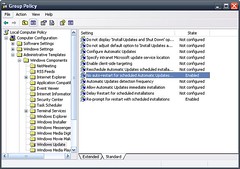 Image by Chris Trillana via Flickr

 Image by Barnaby Jeans via Flickr
 Image via Wikipedi

